By the Vesetail team - we work on custom Tuya App SDK and Cloud API builds for product companies.
Quick summary
A customer contacts support and says, “The device stopped working.”
The mobile app may show that the device is offline. That is useful to the customer, but it does not give the support team everything it needs. Support may still have to identify the product, customer account, installation, warranty status, previous tickets, and the person responsible for the next action.
This is where some Tuya products outgrow an app-only setup. The company needs a server-side layer that can receive authorized device data, add business context, and send the result into the tools its team already uses.
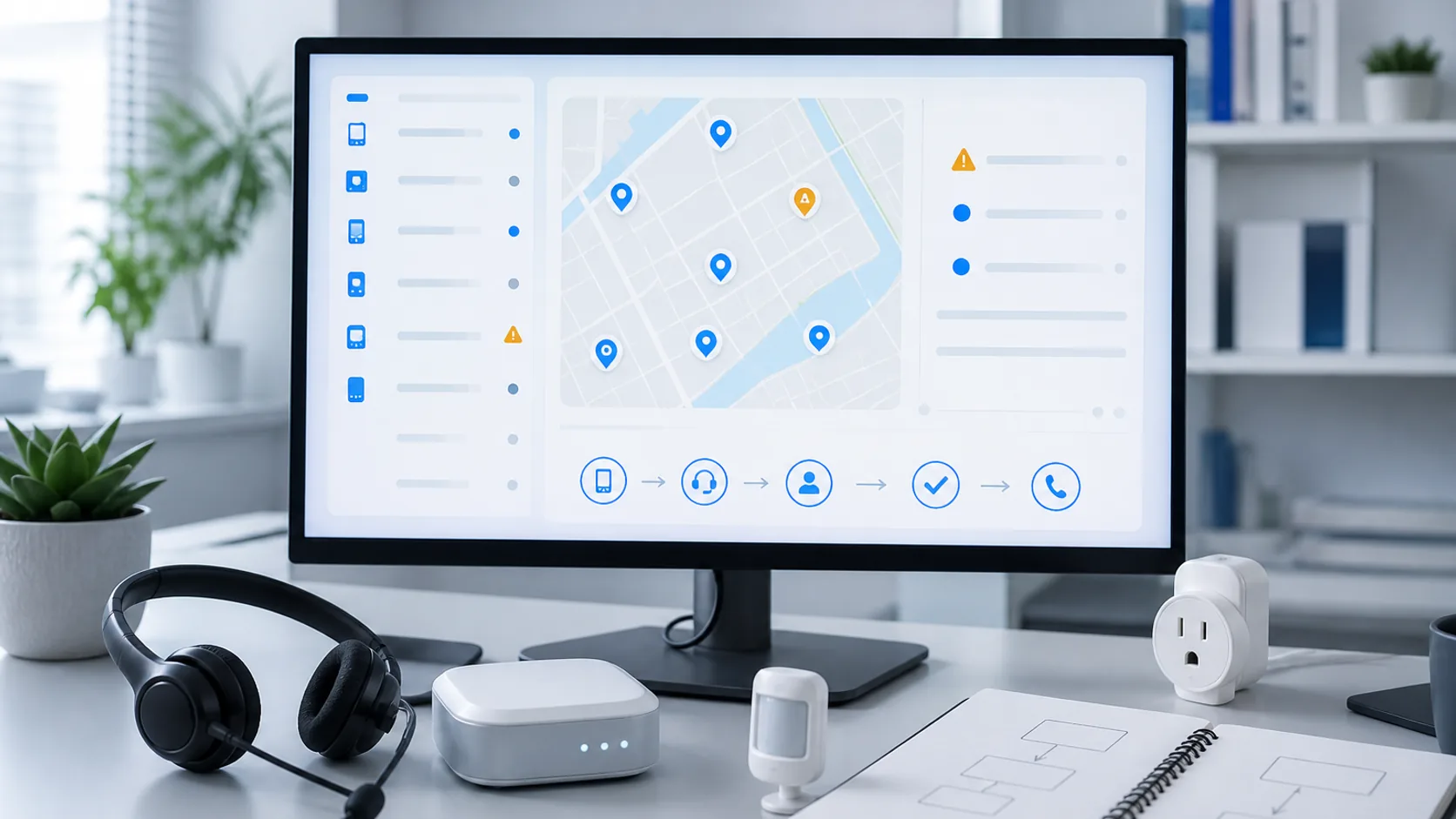
That layer is a business backend. Tuya Cloud API and Message Service can provide the device-side connection, while the product company owns the workflow around it.
A customer app and a business backend solve different problems
An OEM app or an app built with Tuya App SDK is usually the right place for customer-facing tasks. Users pair devices, organize homes or locations, check status, change settings, and control the product from their phones.
A business backend serves a different user: the company operating the product.
| Customer app | Business backend |
|---|---|
| Shows devices for the signed-in user | Works across authorized customers, devices, or locations |
| Supports pairing and daily control | Applies company rules to device and customer data |
| Explains status to the customer | Routes issues to support, operations, warranty, or field teams |
| Stores the product experience in the app | Connects device activity with CRM, ticketing, warranty, or reporting systems |
The two layers can work together. A business backend does not replace the app, and a custom app does not automatically require a business backend.
If customers can complete the important product journeys in the app and the company has no process that needs device data outside it, adding Cloud API may create cost without solving a current problem.
Five signs your Tuya product needs a business backend
1. Support depends on screenshots and customer descriptions
When support cannot inspect relevant device context, every case begins with a long exchange: Which model is it? Is it online? What does the app show? Has the customer already reset it?
A backend can reduce that information gap if the required data is available and authorized. It should not expose every technical value to every agent. It should show the small set of facts that changes the support decision.
2. The team needs a view across customers or locations
The customer app is scoped to the signed-in user. A product team may need an authorized operational view across an installed base, a distributor’s locations, or a group of managed sites.
This is more than putting device rows into a table. The team needs filters and relationships that match how the business works: product line, market, customer, installation, service status, or assigned support owner.
3. A device event should start work without the user opening the app
Some events matter to the company even if the customer never opens a push notification. A repeated fault, sustained offline state, or service condition may need review by support or operations.
Tuya’s Message Service is designed to deliver subscribed device messages to a business system. Tuya’s current Pulsar guidance includes status changes, online or offline transitions, and alerts among the event types a consumer can process. The exact events still depend on the product and cloud configuration. See Tuya Message Service and the Pulsar message processing guide.
4. Device state needs customer or commercial context
A device ID alone rarely tells a support team what to do. The decision may depend on who owns the product, where it was installed, which order it belongs to, whether it is under warranty, or whether a service agreement applies.
That context often lives outside Tuya. A business backend links the authorized Tuya resource to the company’s own records, then limits what each user or system can access.
5. The company needs to track what happened after the alert
Receiving an event is only the beginning. The team may need to know whether the issue was acknowledged, whether a ticket was created, who followed up, and how the case was resolved.
Without that operating record, a dashboard can become another screen people check occasionally. It does not become part of the support process.
Technical Guide Already know the workflow? Review Tuya Cloud API pricing, setup, events, and production architecture.What a support dashboard should help the team decide
A useful Tuya support dashboard helps staff make decisions. It does not need to display every data point the device reports.
Before designing charts, write down the questions an agent or operator must answer.
| Support question | Context the team may need | Possible next action |
|---|---|---|
| Is this the expected device and customer? | Product, device relationship, account, installation, market | Continue investigation or correct the record |
| Is the issue current or already resolved? | Latest available state, event time, recent support activity | Close, monitor, or investigate |
| Does this condition require action? | Product rule, duration, severity, service status | Create a ticket, notify an owner, or suppress the event |
| Who should handle it? | Customer tier, location, product category, support ownership | Route to the right queue or team |
| What happened last time? | Prior tickets, notes, device history available to the workflow | Reuse a known resolution or escalate |
Not every field in this table will come from Tuya. Customer, order, warranty, and support history usually belong to the company’s systems. The backend joins only the information required for the approved workflow.
This distinction also prevents a common scoping mistake. A team may ask for a “device dashboard” when the actual need is narrower: help support decide whether to create a case and give the agent enough context to start it.
Device alerts only matter when they trigger a workflow
Consider a product that can provide an authorized offline or fault event. This is a hypothetical workflow, not a claim that every Tuya device exposes the same event.
- Tuya delivers a subscribed event to the backend.
- The backend validates and records the event safely.
- It finds the corresponding customer, product, and service context.
- A business rule decides whether the event needs action. A short disconnect may be ignored; a sustained condition may enter a support queue.
- The backend creates or updates the case in the chosen support system.
- The team records the outcome so the next event has useful history.
The alert is only one input. The business rule, customer context, destination, and operating owner make it a workflow.
Name the person who acts before building the alert
If the team cannot say who receives an alert, what decision that person makes, and where the result is recorded, the workflow is not ready for implementation.
- Define the condition that starts the workflow
- Set the context required for a decision
- Choose the system where action will be tracked
- Assign an owner for exceptions and failed delivery
What Tuya already provides and when custom integration adds value
Tuya already offers device registration, monitoring, remote management, status and log inspection, OTA management, and fault troubleshooting through its device management products. For engineering checks or standard device operations, those tools may be enough. See Tuya Device Management.
A custom support dashboard should not recreate those functions with a different interface. Custom work makes sense when the company needs business-specific context or action.
| Tuya platform capability | Business-specific layer |
|---|---|
| Authorized device information and status | Device-to-customer, order, installation, or warranty mapping |
| Device messages and subscribed events | Rules for priority, suppression, escalation, and ownership |
| Device logs and troubleshooting data where available | A support view designed around the team’s decisions |
| Cloud APIs for device and user resources | CRM, ticketing, maintenance, partner, or reporting integration |
The two approaches can coexist. Engineers may continue using Tuya’s tools for technical investigation while customer support works from a smaller business view connected to its case-management process.
App SDK, Cloud API, and the business backend: who owns what
Product teams sometimes use “backend” to describe several different layers. Separating them keeps the estimate and responsibilities clear.
| Layer | Main responsibility |
|---|---|
| OEM app or App SDK app | Customer onboarding, pairing, control, settings, and product experience |
| Tuya cloud project, OpenAPI, and Message Service | Authorized server access to relevant Tuya resources, commands, and subscribed events |
| Product company’s business backend | Resource mapping, permissions, business rules, workflow state, and system integration |
| CRM, ticketing, warranty, or operations tools | Team action, ownership, communication, and case history |
Tuya describes its cloud integration path as a way to use device and user data in business systems, data platforms, and other applications. The business backend is where a product company turns that access into its own process. See Tuya Cloud Integration Solutions.
This article focuses on deciding whether that process is needed. For cloud project authorization, regional endpoints, request signing, Message Queue handling, retries, and monitoring, use the Tuya Cloud API production guide.
Start with one support workflow, not a general IoT platform
The first release should prove that one device signal can reach the right person with enough context to make a decision.
A practical scope might be: when an approved condition persists, connect the device to the correct customer record, place it in a support queue, and show the agent the information needed for follow-up.
Define these parts before discussing a broad dashboard:
| Workflow part | Decision to make |
|---|---|
| Trigger | The exact status, event, schedule, or manual action that starts the workflow |
| Context | The device, customer, product, market, service, and history needed for the decision |
| Rule | The conditions that create, update, suppress, or escalate a case |
| Destination | The support view, ticket queue, notification channel, or system that receives the work |
| Resolution | The state that closes the workflow and what should be retained |
| Owner | The team responsible for normal cases, exceptions, and integration failures |
This scope is easier to test than a general promise to “build a device operations platform.” It also reveals whether the business will use the result before the team invests in more events, reporting, or automation.
Have one support or device-operations workflow in mind? Share the current app path, device categories, markets, trigger condition, support process, and systems that should receive the result.What to validate before implementation
A workflow brief should identify the business need first, then verify that the required technical path exists.
- Which Tuya project, app path, products, and device categories are in scope?
- Which status, data point, fault, or event does the workflow require?
- Is that information available through an authorized OpenAPI call, Message Service subscription, or another approved source?
- How are Tuya users and devices related to the company’s customer, order, installation, or warranty records?
- Which regions and data centers contain the active accounts and devices?
- Who can view the data, trigger an action, change a rule, or close a case?
- How long should workflow data and support history be retained?
- What happens when an event is duplicated, delayed, missing, or cannot be matched to a customer?
- Which team owns the workflow after release?
These questions can expose a device or authorization gap before it becomes a dashboard defect. If the product does not provide the signal the workflow needs, the next step may be a product or firmware decision rather than backend development.
An app-only setup may still be the right scope
A business backend is probably premature when:
- the first release only needs customer registration, pairing, control, sharing, and scenes inside the app
- Tuya’s existing device management tools already cover the team’s operational need
- the installed base does not yet produce a repeatable support or operations process
- nobody owns the action that an alert would create
- the required device signal is not available and has not been addressed at the product level
- the goal is a personal script, Home Assistant experiment, or one-time API test
Cloud API should solve an owned business problem. If the company cannot name that problem yet, define the app and support journeys first.
Planning Guide Define the app, backend, device, and first-release requirements before estimating development.Business-backend questions from product teams
Does every custom Tuya app need Cloud API?
No. An App SDK project can support customer registration, pairing, control, sharing, scenes, and product-specific app experiences without a separate business backend. Add Cloud API when a server, internal team, or connected business process needs authorized device or user data outside the app.
Can a business backend work with a Tuya OEM app as well as an App SDK app?
Potentially, but the authorization and resource relationship must be checked for the actual cloud project and app path. Do not assume that a test account or one linked device proves access to the production installed base.
Is a custom support dashboard the same as Tuya Device Management?
No. Tuya Device Management already provides technical device monitoring and troubleshooting capabilities. A custom business view is useful when the company needs its own customer context, permissions, workflow rules, or connections to support and warranty systems.
Can a Tuya device alert create a support ticket automatically?
It can when the required event is available, the cloud project is authorized, and the backend has a defined rule and ticketing integration. The workflow also needs duplicate handling, error monitoring, and a clear owner for cases that cannot be processed automatically.
Do we need to build a complete dashboard for the first release?
Usually not. The first release can route one validated event into an existing ticketing system or provide a small support view for one decision. A wider dashboard should follow only when the team knows which additional information and actions it will use.
Start with one Tuya Cloud API workflow
Share the current app path, device categories, target markets, event or status that matters, support process, and the CRM, warranty, or ticketing system that should receive the result.
Explore Cloud API service