By the Vesetail team - we work exclusively on custom Tuya App SDK and Cloud API builds for product companies.
Updated August 4, 2026. Tuya plan limits and service terms in this guide were checked against Tuya’s published documentation. Prices and allowances can change, so verify the current plan in the Tuya Developer Platform before approving a production budget.
Quick summary
What Tuya Cloud API is - and what it is not
Tuya Cloud API gives a server access to authorized Tuya device, user, home, and service capabilities. Tuya also uses the term OpenAPI in its cloud documentation. For a product company, this is the layer that makes work outside the customer’s phone possible:
- a support dashboard showing devices across the installed base
- real-time alerts when a device reports a fault or goes offline
- scheduled server-side checks and automations
- CRM, warranty, billing, maintenance, or partner-system workflows
- B2B portals, roles, reporting, and subscription features
It does not replace the mobile app. Tuya’s documentation states that device pairing still requires a Tuya-powered app or an app built with the App SDK. The usual product architecture is therefore two connected layers: a customer-facing app for onboarding and control, and a backend for company-wide workflows.
If the immediate need is a branded iOS and Android experience, start with Tuya App SDK development. If the need is device data in company systems, the relevant service is Tuya Cloud API integration.
Is Tuya Cloud API free?
Not for a commercial production deployment.
Tuya describes IoT Core as the essential cloud service that provides a basic monthly allowance for API calls and messages. Its Trial Edition is limited to individual developers and debugging, and Tuya explicitly prohibits commercial use. Production teams need a paid IoT Core edition that fits the number of devices, controllable devices, data centers, API calls, messages, and log-retention requirements.
Tuya’s published IoT Core pricing guide currently lists these plan allowances:
| Published allowance | Trial Edition | Flagship Edition | Corporate Edition |
|---|---|---|---|
| API calls per month | 26,000 | 224 million | 426 million |
| Messages per month | 68,000 | 568 million | 1 billion |
| Data centers | 1 | 7 | 7 |
| Maximum devices | 50 | 75,000 | 200,000 |
| Maximum controllable devices | 10 | 30,000 | 75,000 |
| Commercial use | No | Yes | Yes |
The public documentation tells you the limits, but it does not give every company one universal checkout price. Tuya directs customers to the current IoT Core details page and asks teams with special requirements to request a quote. Other API services or usage above the included resource pack can add cost.
That means a useful Tuya API pricing estimate has three separate parts:
| Cost layer | What belongs in it |
|---|---|
| Tuya cloud plan | IoT Core edition, included calls and messages, data centers, device limits, additional cloud services, and renewal |
| Integration build | Cloud project setup, authorization, backend services, Message Queue consumer, dashboards, business rules, integrations, testing, and deployment |
| Ongoing operation | Hosting, database, logs, monitoring, alerting, support, usage growth, security updates, and later workflows |
Do not compare the Tuya subscription alone with a complete backend quote. They are different deliverables, just as the App SDK platform fee is separate from the cost of building the mobile app.
Related Cost Guide Separate Tuya platform fees from app, backend, and rollout cost.Tuya Cloud API account configuration: the production checklist
A quick demo often starts with an access ID, secret, and one successful request. A product integration needs the resources behind those credentials to be correct and repeatable.
1. Choose the project and subscription path
Create or confirm the cloud project in the Tuya Developer Platform and subscribe to the applicable IoT Core plan. The project’s development method, industry, and linked application determine which resources and APIs it can reach. Do not build the production backend around a personal test project that the product company does not control.
2. Subscribe and authorize only the required cloud services
Tuya cloud services are not automatically interchangeable. The project must be subscribed and authorized for every API family the product uses. A device-control integration, smart-home user workflow, smart-lock service, data service, and message subscription can have different authorization requirements.
Start from product use cases, then select services. Subscribing to a large list because it appears in a tutorial makes permissions harder to understand and can hide which capability the release actually depends on.
3. Link the correct app accounts, users, or device resources
For Smart Home projects, account authorization may involve linking a Tuya or Smart Life app account by QR code. Brand-owned OEM and App SDK projects have their own application and authorization relationships. Confirm which users, homes, products, and devices the production project is expected to access; seeing one test device is not proof that the installed base is correctly linked.
4. Select the data center where the devices live
Tuya uses different OpenAPI endpoints by data center. The current request structure documentation lists Western and Eastern America, Central and Western Europe, China, India, and Singapore endpoints.
The backend must call the endpoint that matches the cloud project and device/account data. A mismatch can look like missing devices, failed authorization, or an empty response even when the request code is otherwise correct. For a product sold in several markets, document the project and endpoint strategy for each active region before launch.
5. Keep authorization keys on the server
The access ID and secret identify the cloud project. Store them in a managed server-side secret store, keep them out of mobile apps and source control, restrict production access, and define a rotation process. If the cloud authorization IP allowlist is enabled, include every intended production egress address and test the final deployment path.
6. Implement token handling and request signing
Tuya Cloud API requests use an access token and signed request headers. The published request format requires HMAC-SHA256, a client ID, and a 13-digit timestamp. Production code needs to cache and refresh tokens correctly, generate the signature from the exact request, keep server time accurate, and distinguish authentication errors from business errors.
7. Prove the real resource path before building the dashboard
Use a thin validation service to authenticate, list the expected resources, read device state, send one safe command, and receive one real event. Test representative products and regions. This finds project-authorization and data-center errors before they get buried under dashboards and business logic.
Need the account and production path reviewed before implementation? Share the current Tuya project, app path, device categories, active markets, backend goals, and systems that need device data. We will map the required integration layers and what still needs validation.OpenAPI calls and Message Queue solve different jobs
The most important production architecture decision is not programming language. It is how data moves.
Use synchronous Tuya OpenAPI requests when the backend needs an answer now: retrieve device details, query status, manage resources, or send a command. Use the Message Queue when Tuya should push a device event to the backend: status reports, online or offline changes, alerts, and other subscribed events.
| Need | Recommended path | Why |
|---|---|---|
| Read current device information | OpenAPI request | The backend asks for a current response |
| Send a device command | OpenAPI request | The backend initiates an action |
| Receive a status change | Message Queue | Tuya pushes the event as it happens |
| Trigger an alert or business workflow | Message Queue, then backend rule | The workflow starts from an event |
| Reconcile uncertain state | OpenAPI request after an event or failure | The backend verifies the latest state |
Tuya’s Message Queue documentation describes a Pulsar-based publish-subscribe service with persistent messages and acknowledgments. This makes it appropriate for real-time backend workflows, but it also creates responsibilities: the consumer must acknowledge processed events, tolerate redelivery, avoid blocking the event loop, and monitor backlog.
Polling every device on a timer is usually the wrong default. It spends API allowance, increases delay, and makes outages harder to reason about. Event delivery should drive the workflow; targeted API calls can verify or enrich the state when needed.
A production Tuya Cloud API architecture
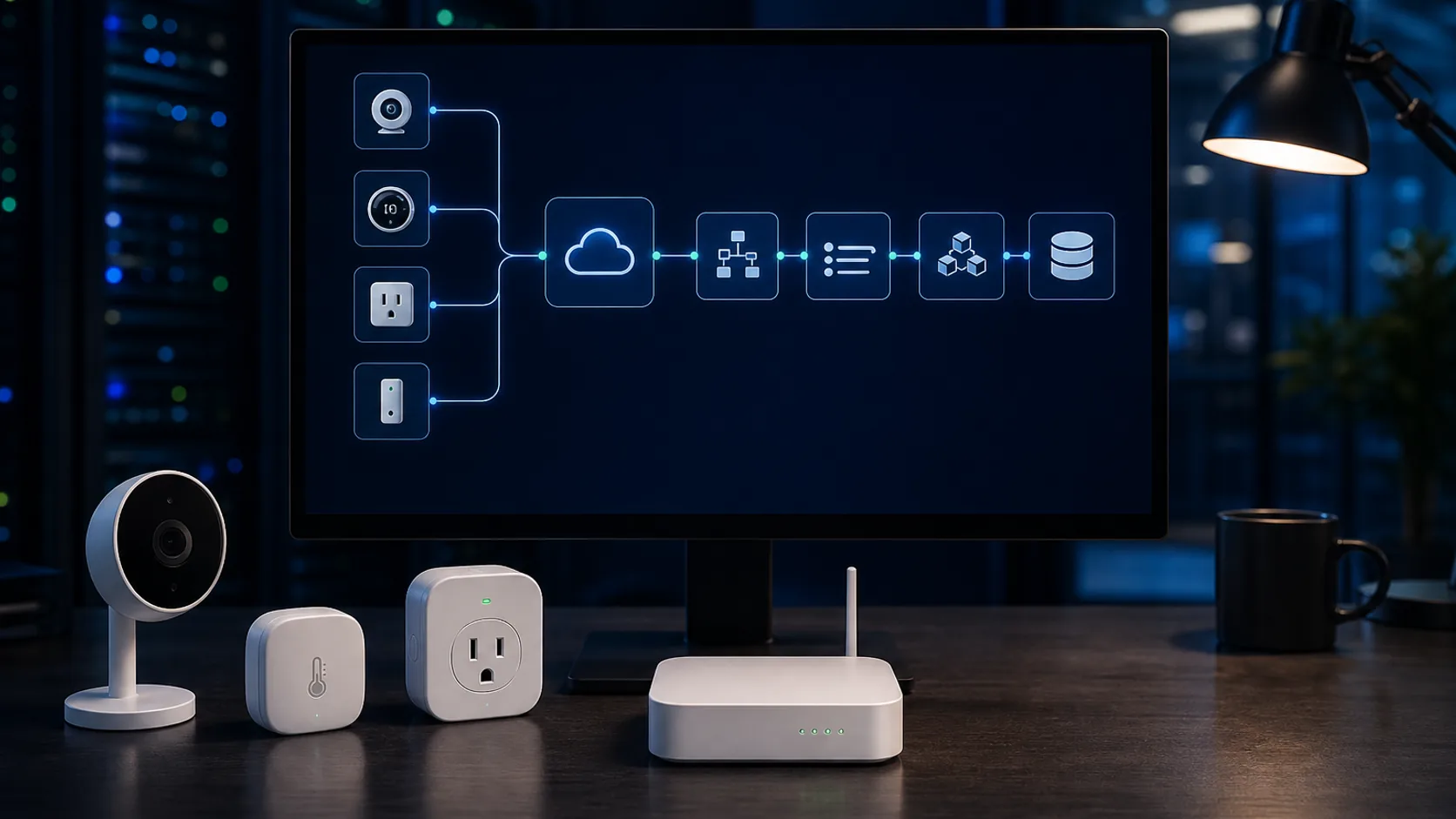
A dependable integration usually has these layers:
- Tuya cloud project - owns authorization, cloud services, device or app relationships, data center, usage, and message subscription.
- API client - handles tokens, signing, retries, timeouts, regional endpoints, and normalized Tuya errors.
- Message consumer - receives Pulsar events, validates and decrypts them as required, acknowledges safely, and routes them for processing.
- Product backend - applies business rules, permissions, schedules, and device-to-customer relationships.
- Data and workflow layer - stores only the data the product needs and connects dashboards, CRM, warranty, billing, maintenance, notifications, or partner systems.
- Operations layer - monitors API usage, message backlog, failed workflows, credentials, logs, and product health.
Design for retries and duplicates before the first event arrives
Networks fail and persistent queues can redeliver. A production workflow should be safe when the same event is processed twice and observable when an event cannot be processed.
- Use idempotency for event-driven actions
- Acknowledge only after required processing succeeds
- Separate transient failures from permanent data errors
- Monitor API quota, consumer lag, and dead-letter or retry paths
Can the Tuya backend run on AWS?
Yes. An AWS-hosted backend can call Tuya OpenAPI, consume Tuya messages, store product data, run workflows, and expose dashboards or integrations. In that architecture, Tuya still connects and manages the devices; AWS hosts your business and application layer.
This is not the same as moving the devices to AWS IoT Core. A true move off the Tuya device cloud changes device connectivity, identity, provisioning, firmware dependencies, command and data models, security, and operations. It should be treated as a separate product and platform migration, not as an option hidden inside a Cloud API integration estimate.
For many manufacturers, the practical sequence is:
- keep validated Tuya device connectivity
- add the production backend and business workflows the company needs now
- measure which data and operational capabilities create value
- assess a different device cloud only when ownership, scale, or product strategy justifies the larger change
That keeps the first investment tied to a real operational need instead of an infrastructure roadmap the product may not need yet.
Scope one production workflow before a wider platform
Start with one end-to-end workflow that the business can operate and measure. For example: receive a battery or offline event, associate it with the right customer and device, show it in a support view, and create a defined follow-up action.
A focused first release usually includes:
- confirmed production cloud project and data-center mapping
- the required API and Message Queue subscriptions
- secure credentials, token management, signing, and error handling
- device and account authorization validation
- one or two high-value event or operational workflows
- the smallest dashboard or system integration needed to use them
- logging, usage monitoring, alerts, retries, and an operations handover
It usually does not need a general-purpose IoT platform, every available device event, a data warehouse, or a full AWS IoT migration. Those can follow when a validated workflow proves the value.
When you probably do not need Tuya Cloud API yet
Cloud API earns its place when a server, internal team, partner, or business process needs device data. If the first release only needs user registration, device pairing, control, rooms, sharing, and scenes inside the customer app, the App SDK may be enough.
You also may not need a custom backend if the goal is a one-off personal integration, Home Assistant experiment, or Python script. Those searches are common, but they are not the same as production product work. Vesetail’s Cloud API service is for product companies that need an owned, supported integration across users, devices, and business systems.
Choose the Product Path Compare App SDK, Tuya Cloud API, custom cloud, and later AWS IoT options.Questions product teams ask before production
Is Tuya API the same as Tuya Cloud API or OpenAPI?
Tuya documentation uses Cloud API and OpenAPI for the server-side APIs exposed through a cloud project. Individual API families and legacy or industry services can have different authorization requirements, so confirm the specific services your project uses.
Can we use the Tuya Cloud API Trial Edition in production?
No. Tuya's published pricing documentation says the Trial Edition is for individual developers or debugging and prohibits commercial use. A commercial deployment needs the applicable paid IoT Core plan.
Do we need Message Queue as well as API access?
Use Message Queue when the backend must react to real-time status, online or offline events, or alerts. Use OpenAPI calls for queries and commands. Many production systems need both.
Can one backend cover the United States, Canada, and Europe?
The application can present one product experience, but Tuya projects, accounts, and devices are assigned to data centers. The backend must call the correct regional endpoints and keep regional authorization and data handling explicit.
Does adding Tuya Cloud API mean we are moving to AWS IoT?
No. The backend can be hosted on AWS while Tuya remains the device cloud. Moving device connectivity to AWS IoT Core is a separate architecture and migration project.
What does Vesetail deliver for a Cloud API integration?
We scope the cloud project and authorization path, implement the API and event layer, connect the required product workflows and business systems, add production monitoring and error handling, and document the handover. The exact first release depends on the product and operational need.
Turn the Tuya API project into a production integration
Share the current cloud project, app path, device categories, target regions, workflows, and systems that need device data. We will separate Tuya plan requirements, integration work, and later architecture options.
Explore Cloud API service